In this article, we will see Oracle 19c (19.3) Software Installation On Linux 7.6

Click here to Download Oracle 19c Software from Oracle Support.
Create a directory for ORACLE_HOME
|
1 |
[oracle@oracle19c ~]$ mkdir -p /oracle/app/product/19.3.0/dbhome_1 |
Unzip the oracle 19c software
|
1 |
[oracle@oracle19c ~]$ unzip -d /oracle/app/product/19.3.0/dbhome_1/LINUX.X64_193000_db_home.zip |
Goto Oracle home location and run the ./runinstaller
|
1 2 |
[oracle@oracle19c dbhome_1]$ ./runInstaller Launching Oracle Database Setup Wizard... |
Start the oracle 19c binaries installation.
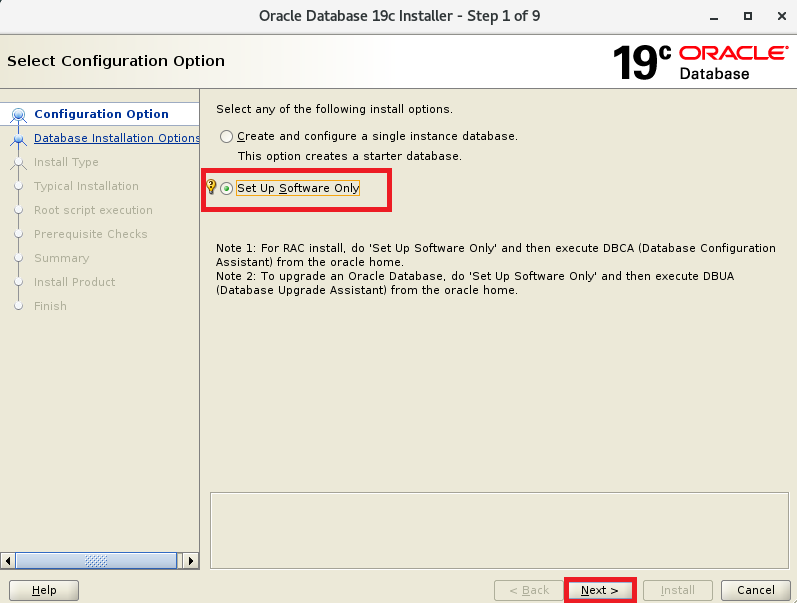
Step1 :
As we are install Oracle 19c Software binaries, So
Click on Set Up Software Only
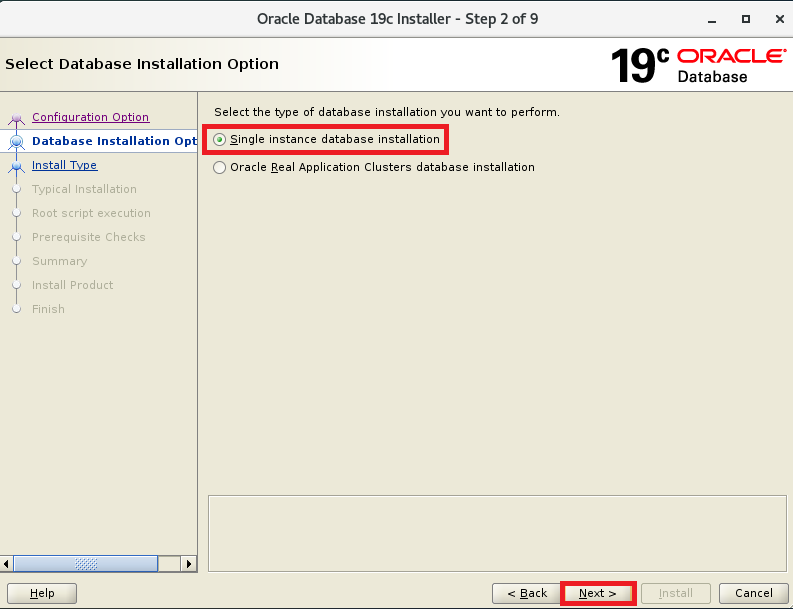
Step 2:
Click on Single instance database installation
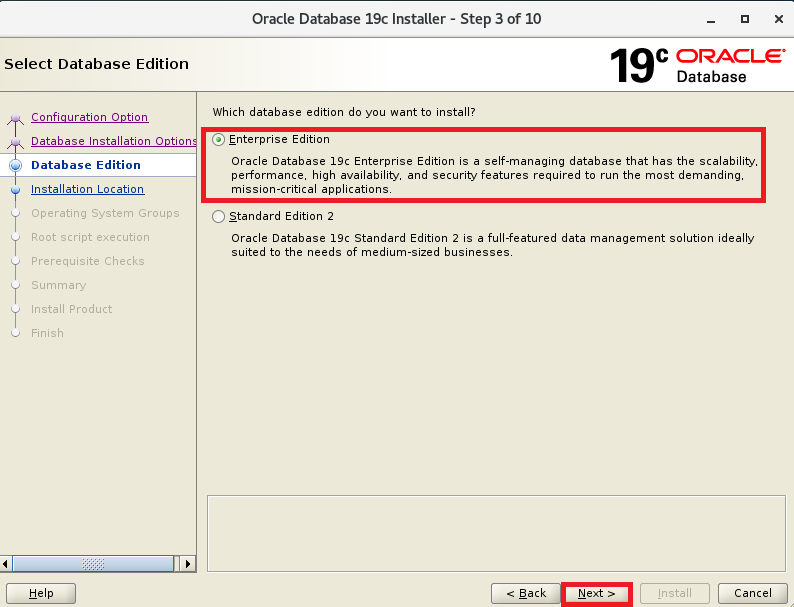
Step 3:
Choose Enterprise Edition
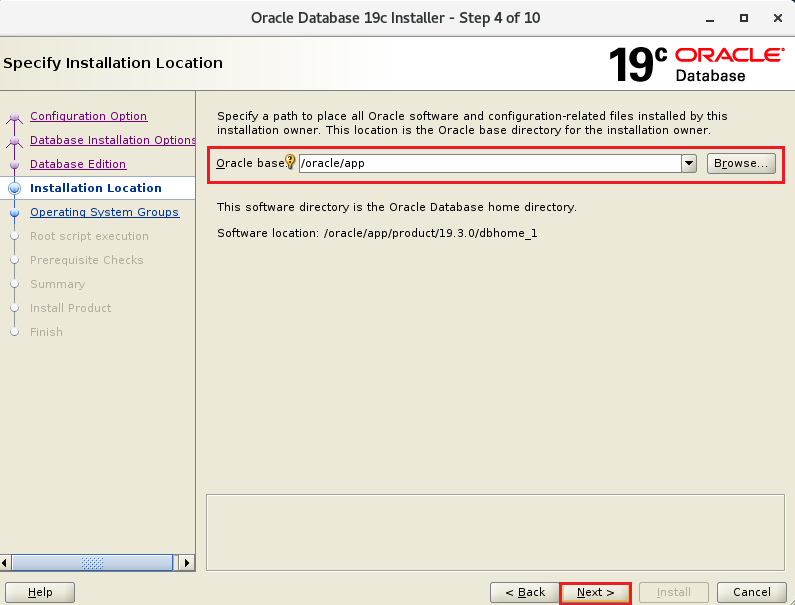
Step 4:
Browse and Select Oracle Base directory to store Oracle configuration files.
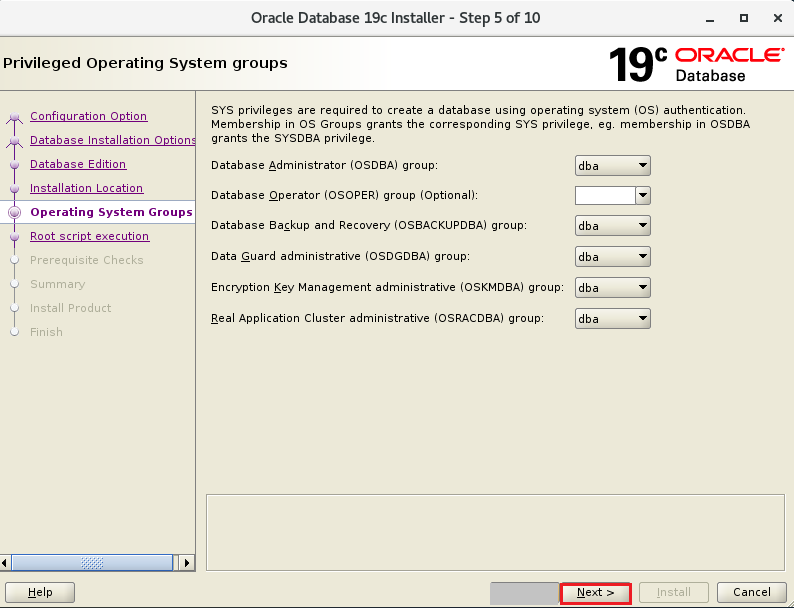
Step 5:
By default all users will be assigned to dba group,
Click Next
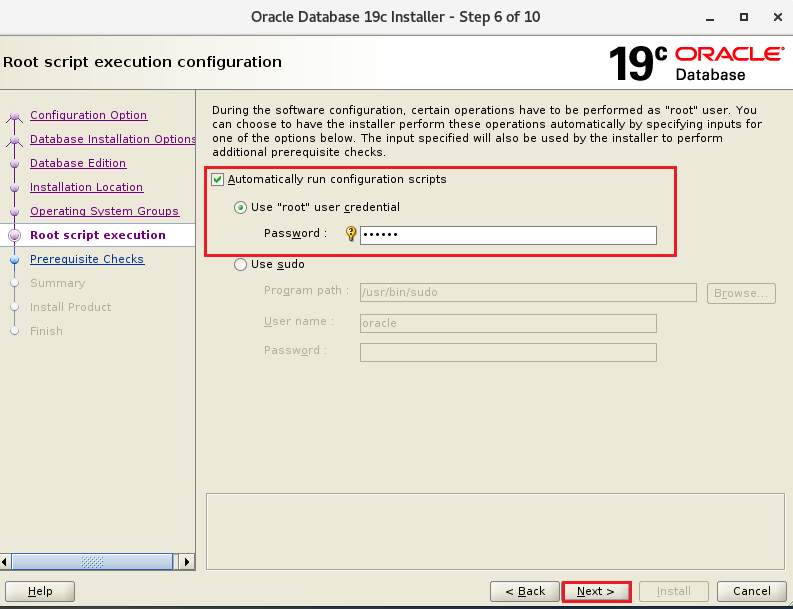
Step 6:
In Oracle 19c, we have an option to choose a user to run Configuration scripts.
In below image I have mentioned root user and credentials.
Oracle user will verify prerequisite checks
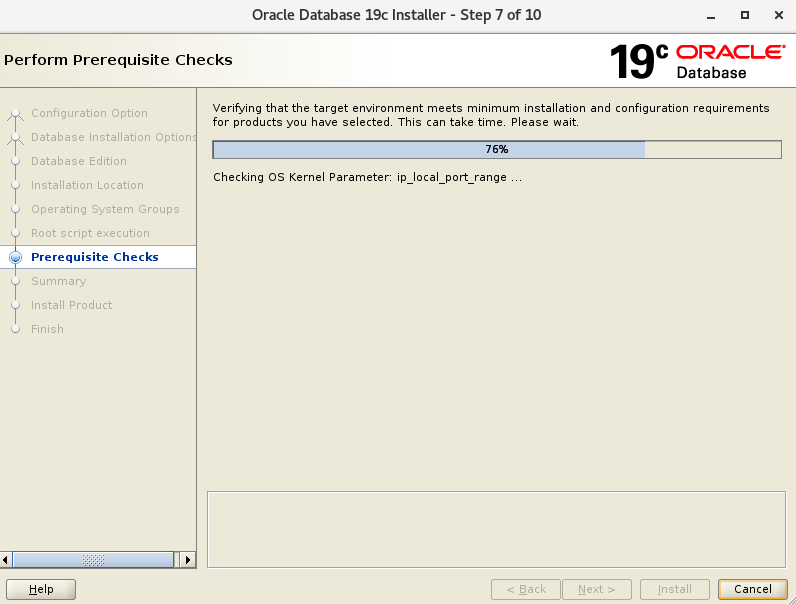
Step 7:
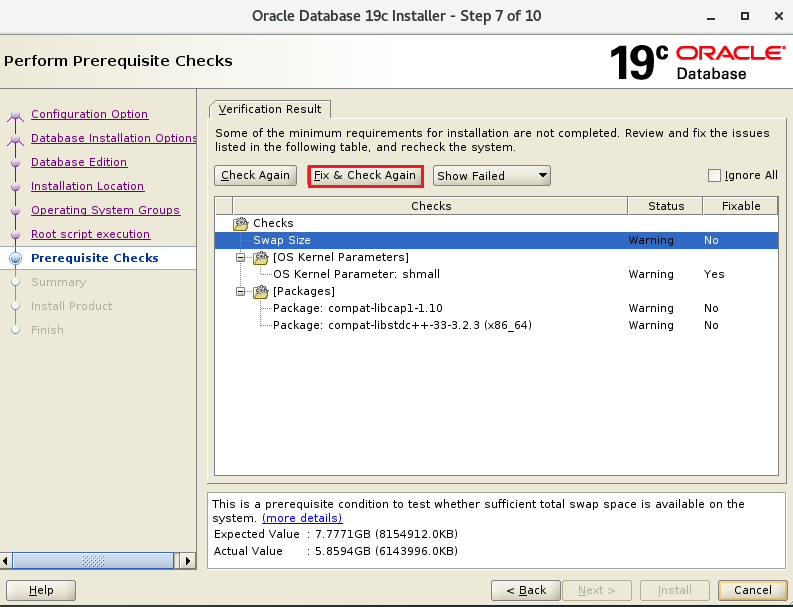
If any prerequisite warned or fails ,
choose Fix & Check Again
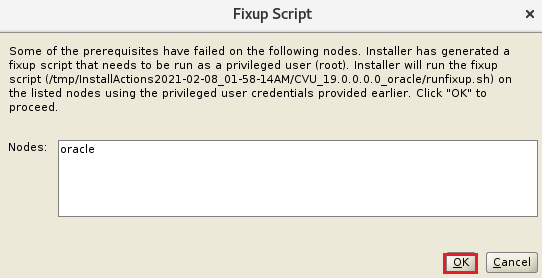
Installer will provide fixup script, but we no need to run it, Just click on OK ,
Fixup script will be ran by root user using credentials provided by earlier
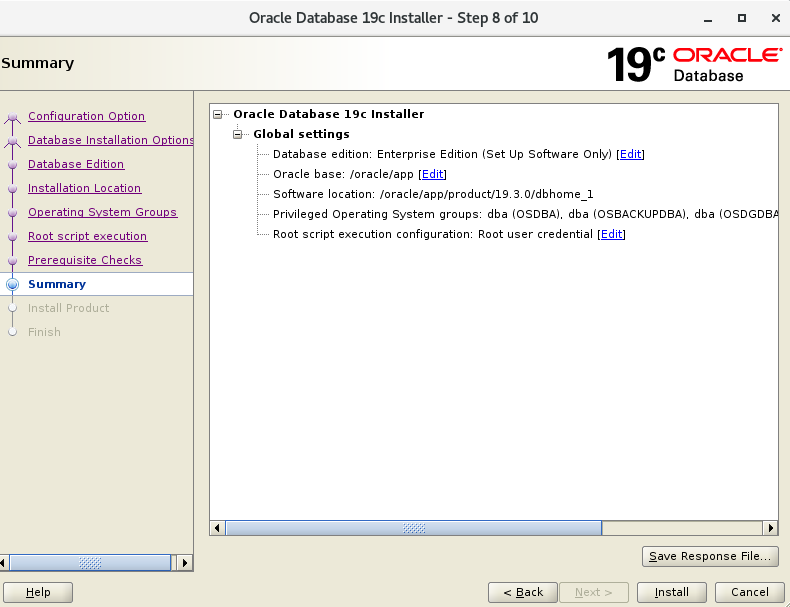
Step 8:
Click on Install to start installation of Oracle binaries.
Step 9:
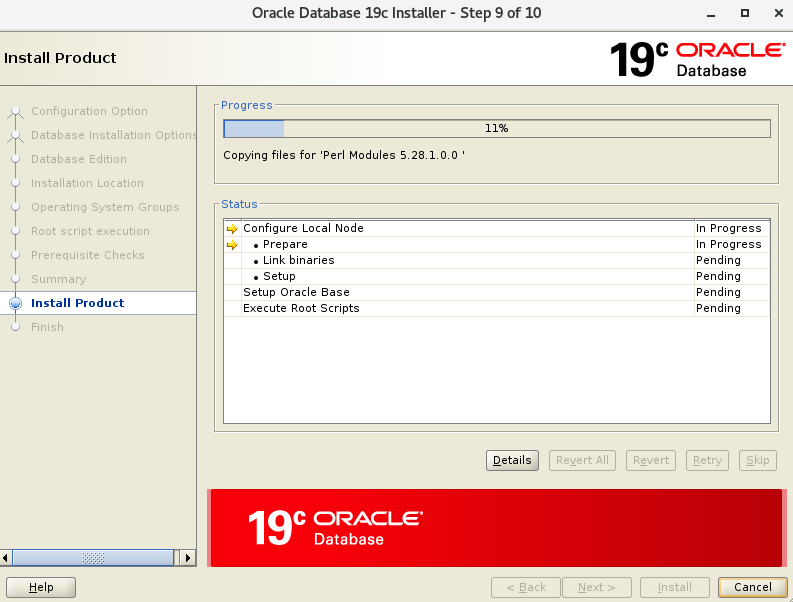
Installation in progress.
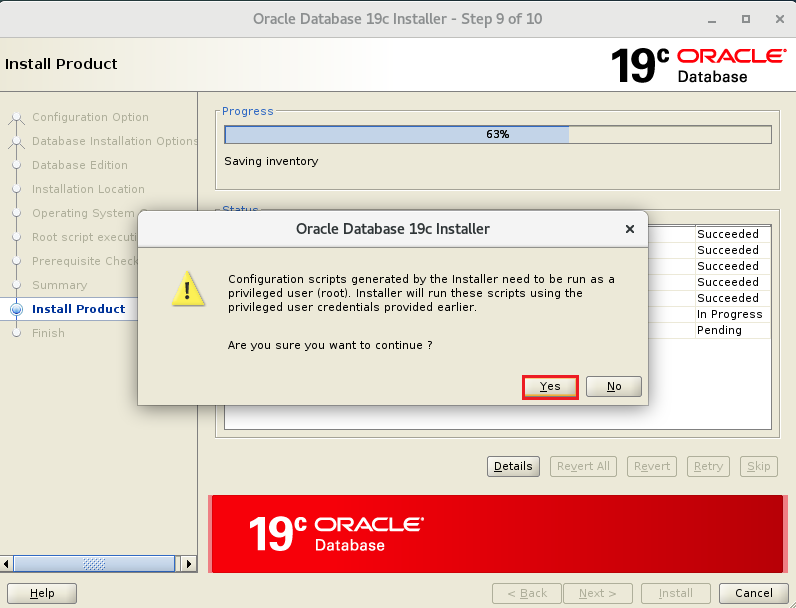
Configuration scripts will be run by root user using credentials provided by earlier .
Click on YES to continue.
Step 10 :
Oracle 19c installed successfully .
Click on Close.
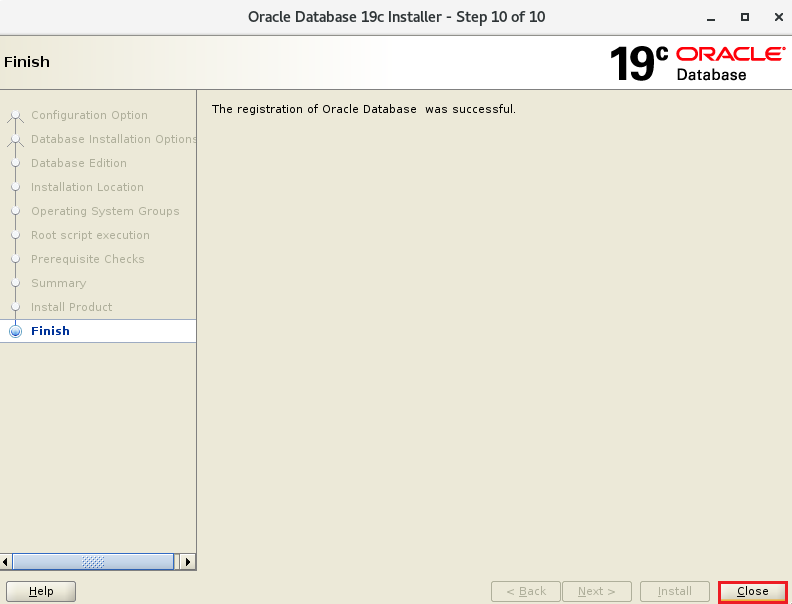
Oracle 19c Software installation Completed successfully .
Thank you for giving your valuable time to read the above information. Please click here to subscribe for further updates
KTEXPERTS is always active on below social media platforms.
Facebook : https://www.facebook.com/ktexperts/
LinkedIn : https://www.linkedin.com/company/ktexperts/
Twitter : https://twitter.com/ktexpertsadmin
YouTube : https://www.youtube.com/c/ktexperts
Instagram : https://www.instagram.com/knowledgesharingplatform

 Loading...