Dear Readers,
In this article we will see Installing Linux 7.5 on Virtual Box Machine(RAC Node 1).

Please check previous article
Installing Oracle Virtual Box on WINDOWS and Creating Virtual machine
Download the ISO Image use below link
https://drive.google.com/open?id=1EeqxTB0Gv_HUT0_Uyu_kP4ZoBk317ip_
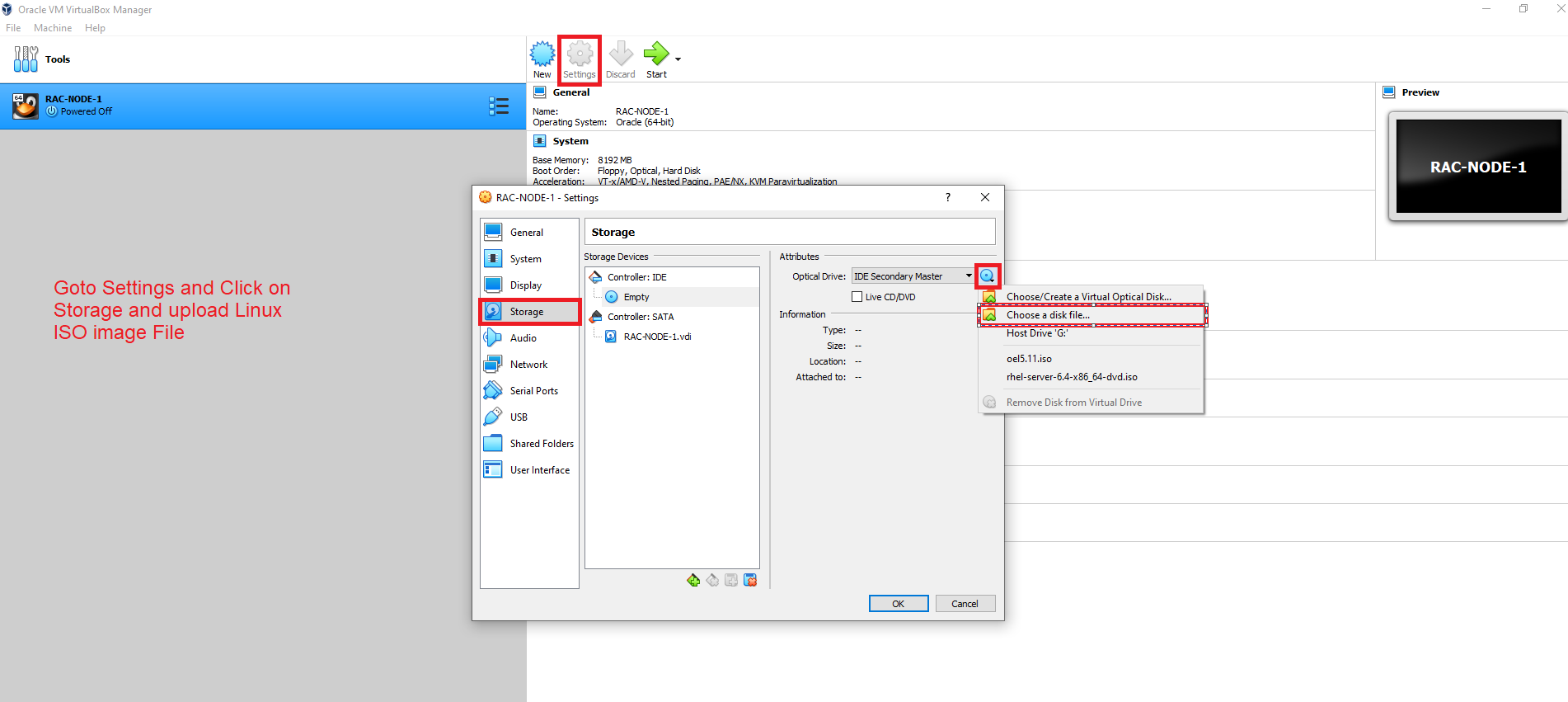
Upload the ISO image file
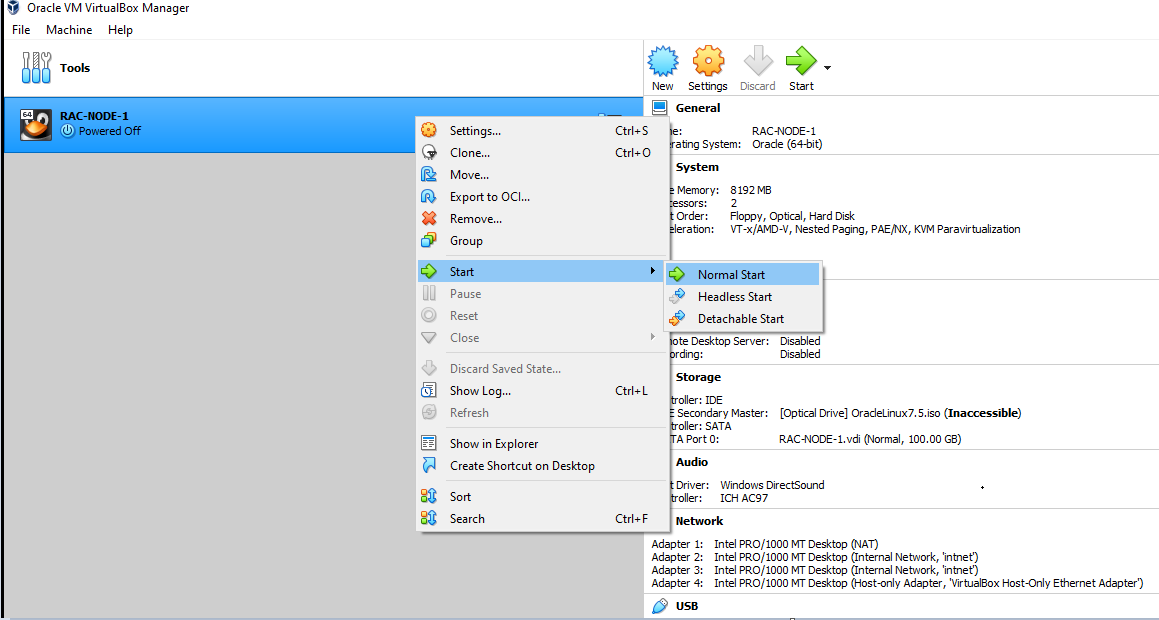
Start the Virtual Machine
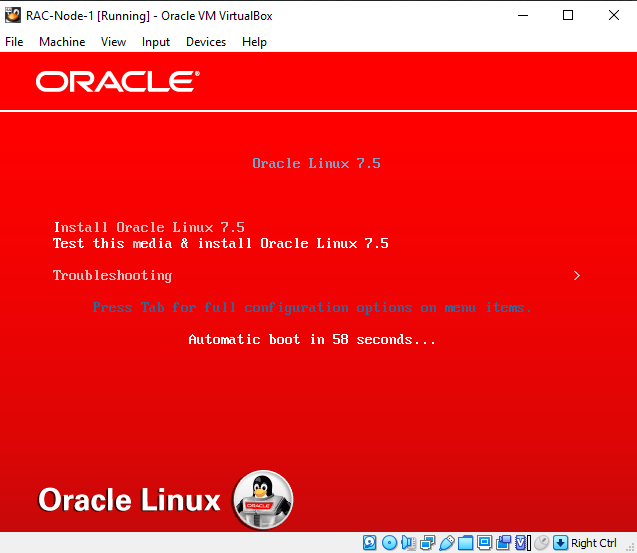
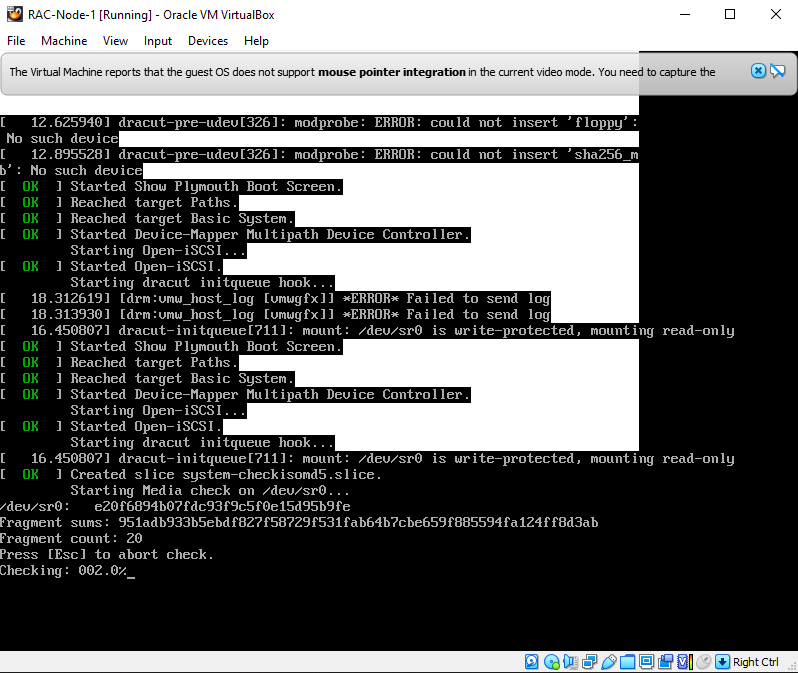
It Prompts the below image.
Click Enter
Installation started
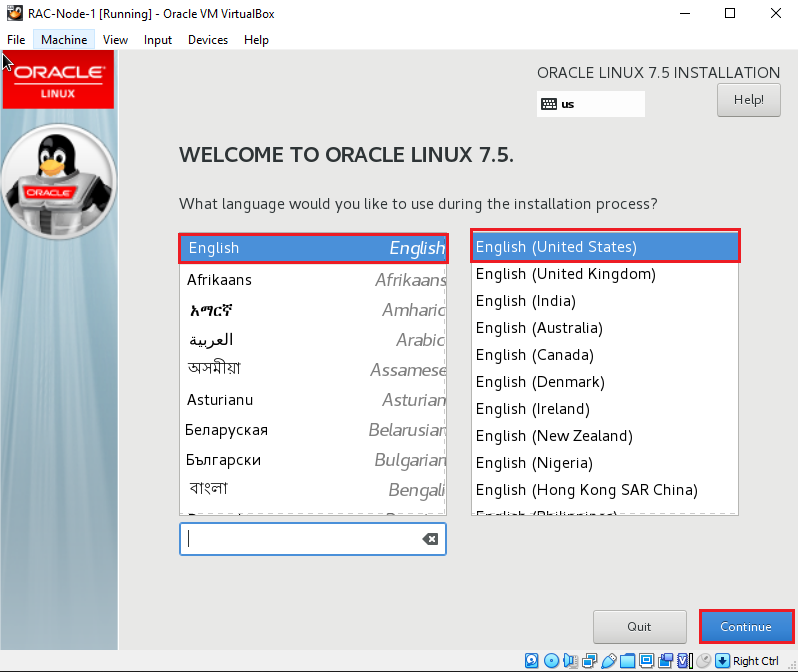
Choose Language
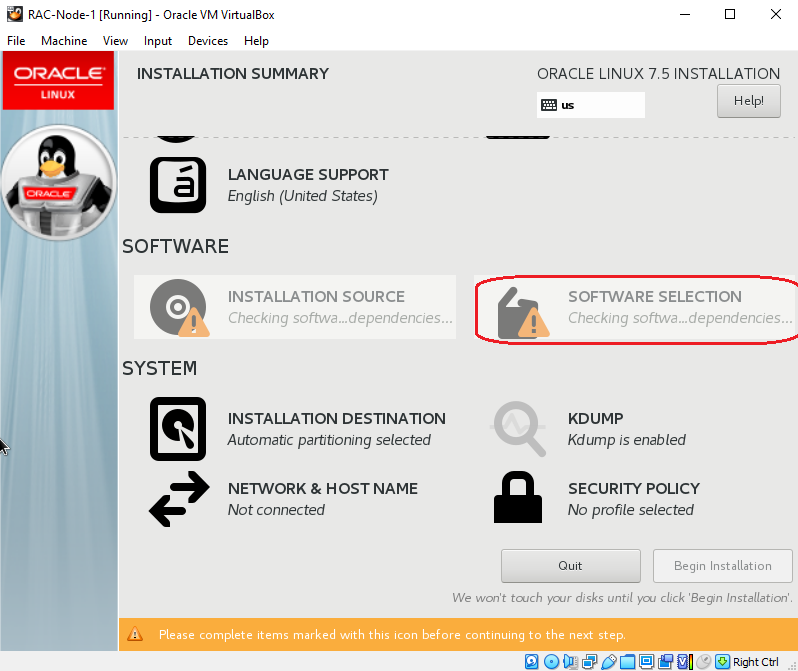
Choose Software Selection
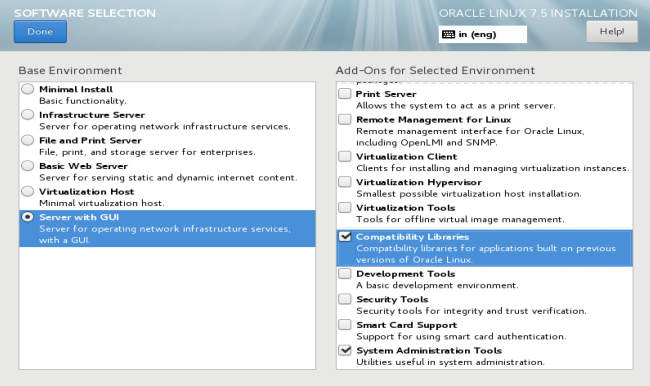
Choose all required packages
Click on Installation destination
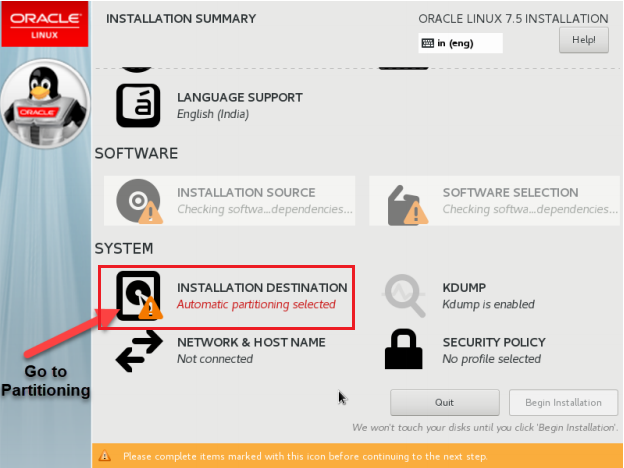
Configure the Partitioning
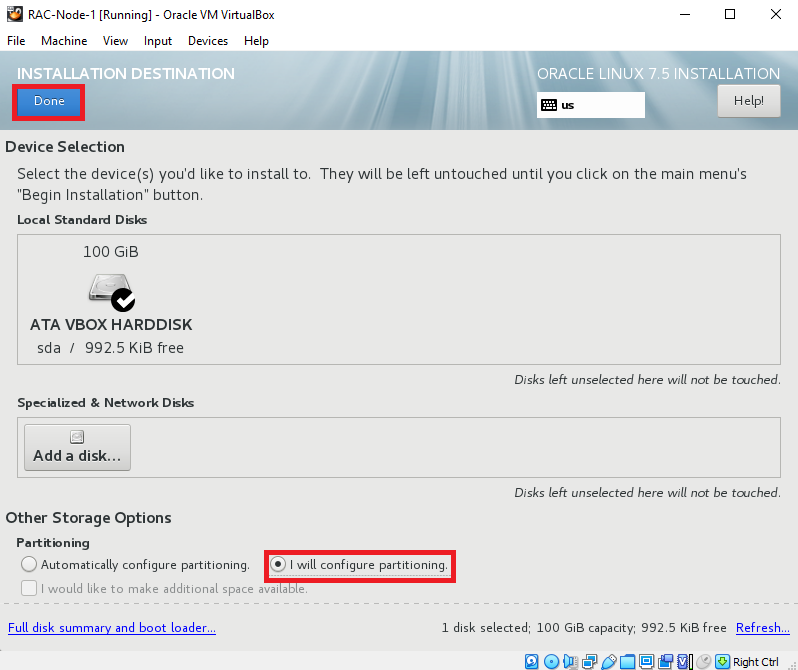
Specify root( / ) with respective size(20GB)
Click on Add mount point
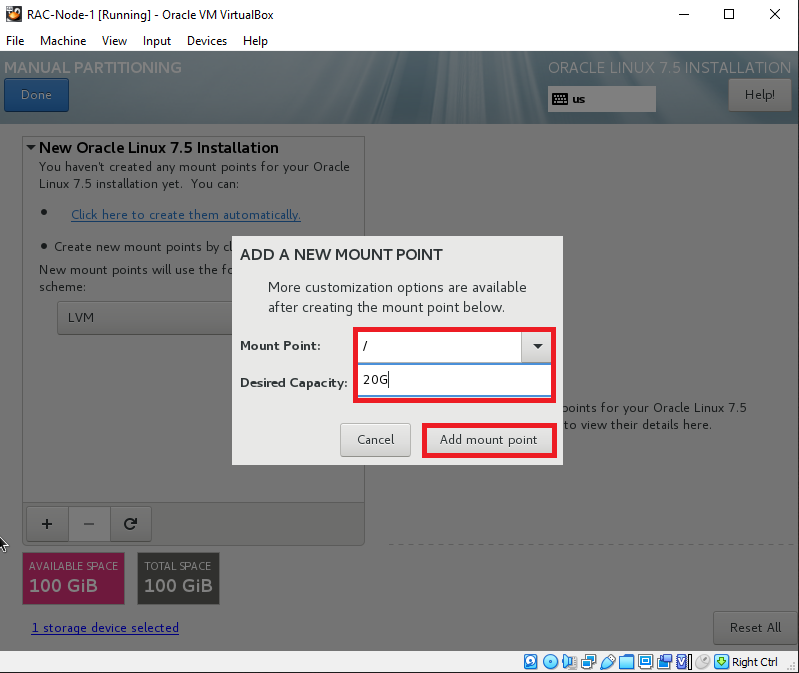
Specify swap with respective size(8GB)
Click on Add mount point
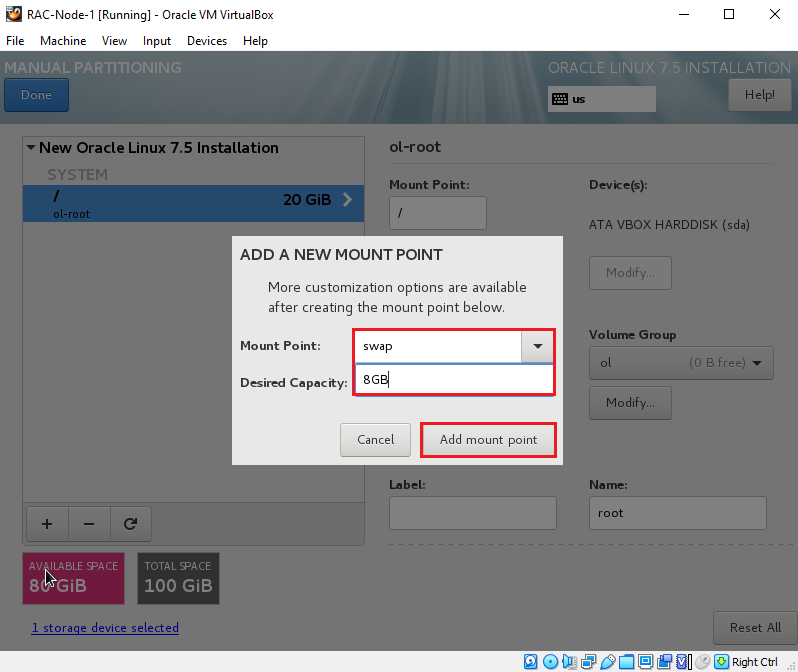
Specify /home with respective size(5GB)
Click on Add mount point
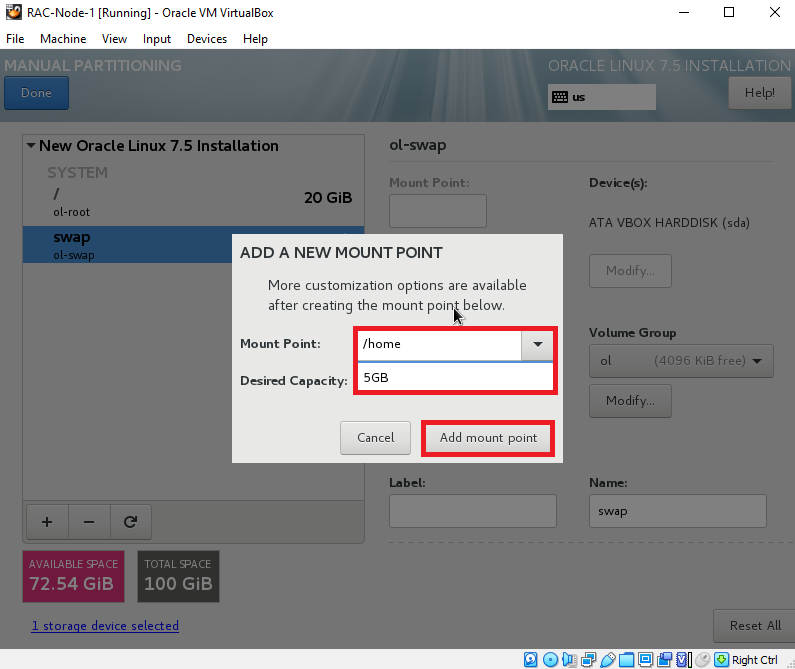
Specify /boot with respective size(2GB)
Click on Add mount point
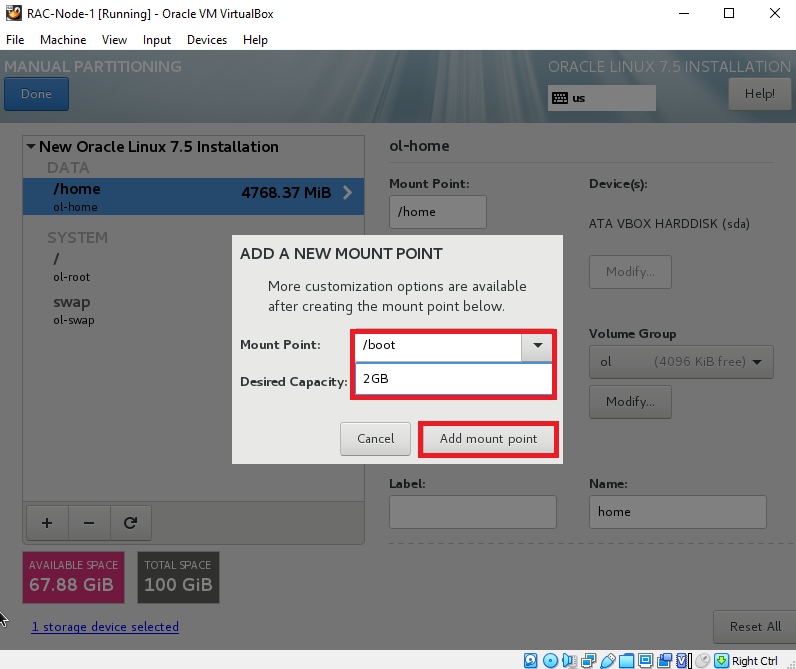
Specify /u01 with respective size(50GB)
Click on Add mount point
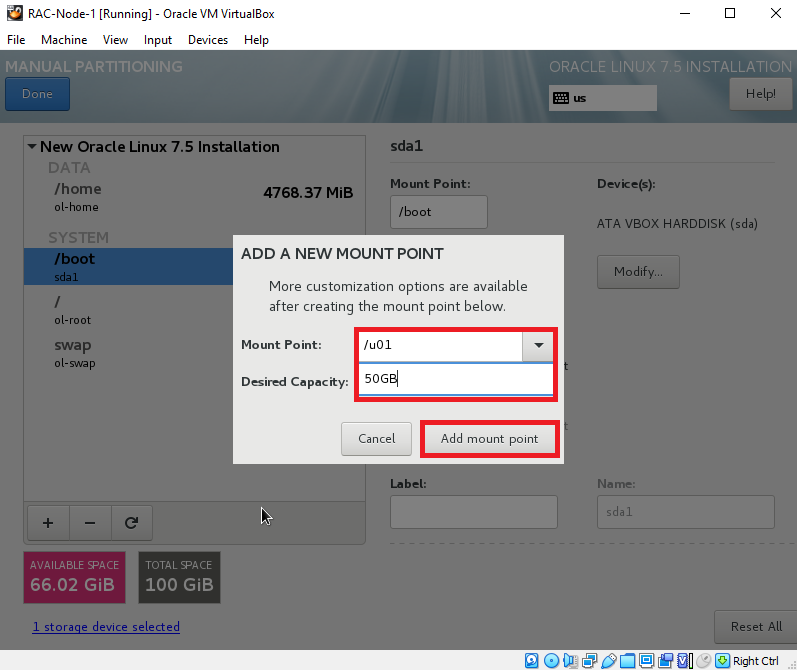
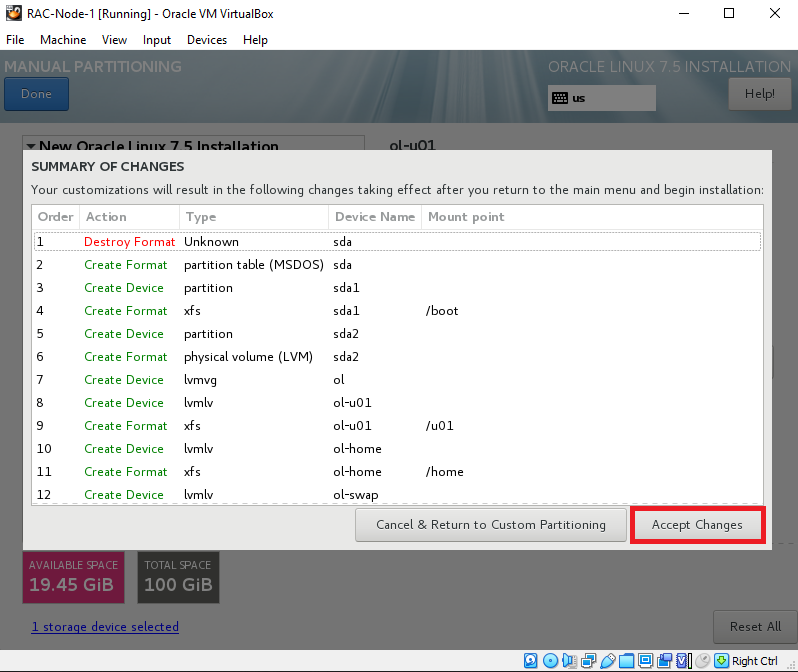
Check all Mount points and click on Done
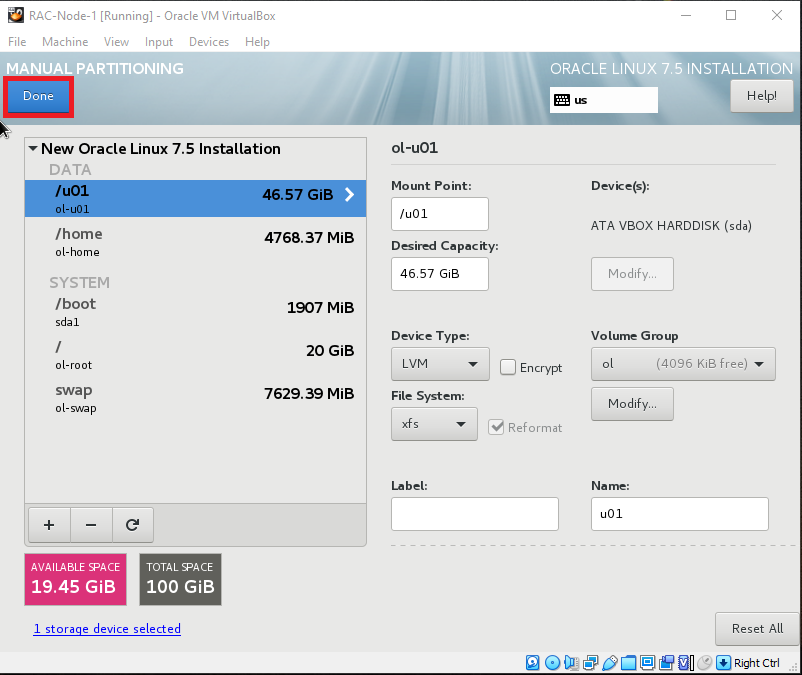
Accept Changes
Click on Network & HostName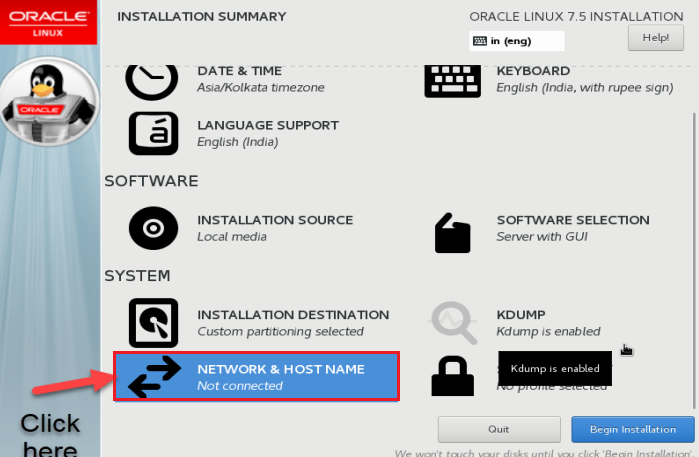
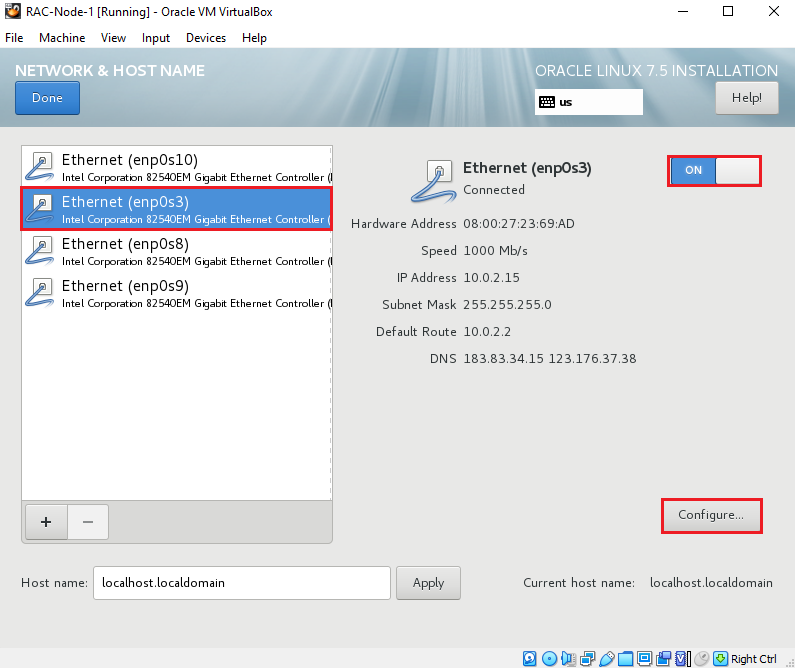
Choose Ethernet(enp0s3) and click on configure
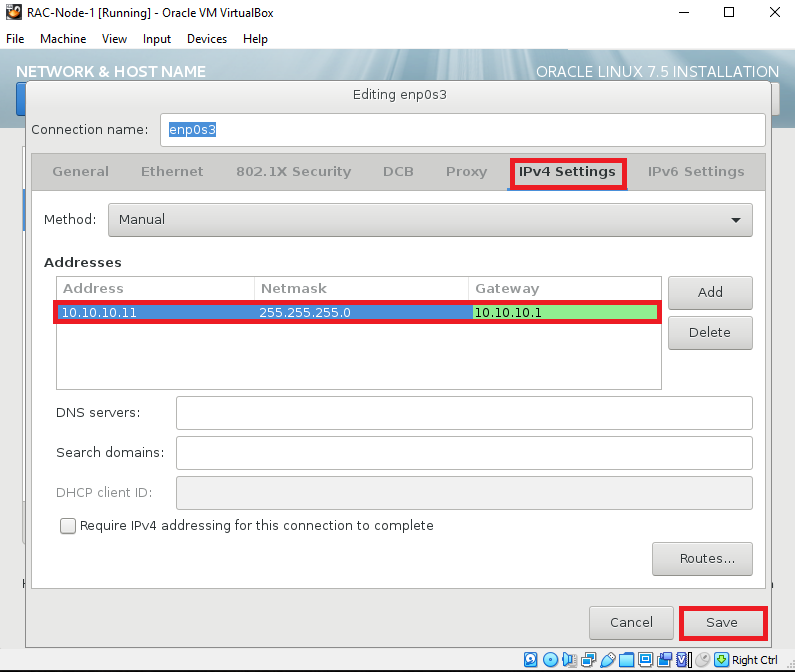
Click on IPV4 Settings and provide IP Address,Netmask and Gateway
Then click on Save
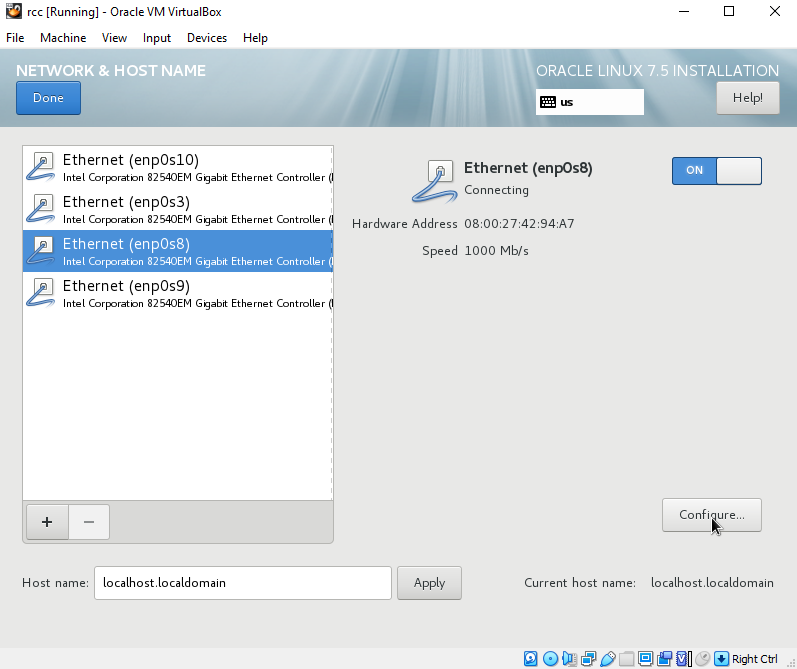
Choose Ethernet(enp0s8) and click on configure
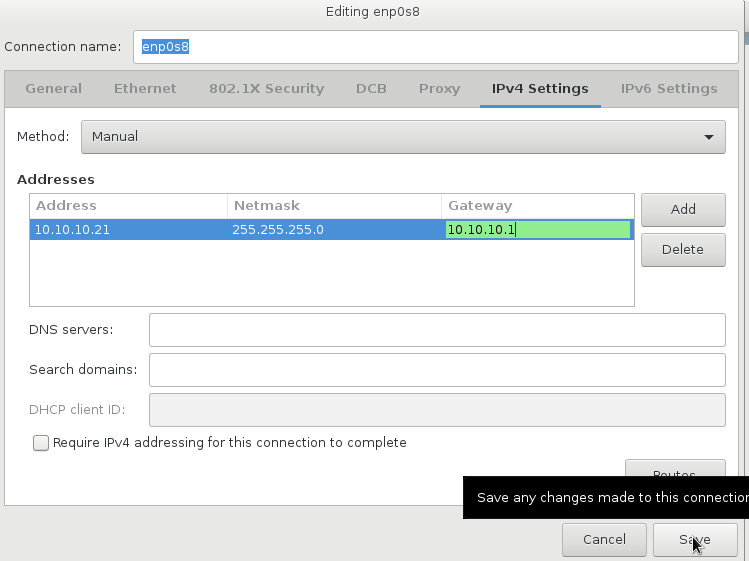
Click on IPV4 Settings and choose Manual and provide IP Address,Netmask and Gateway
Then click on Save
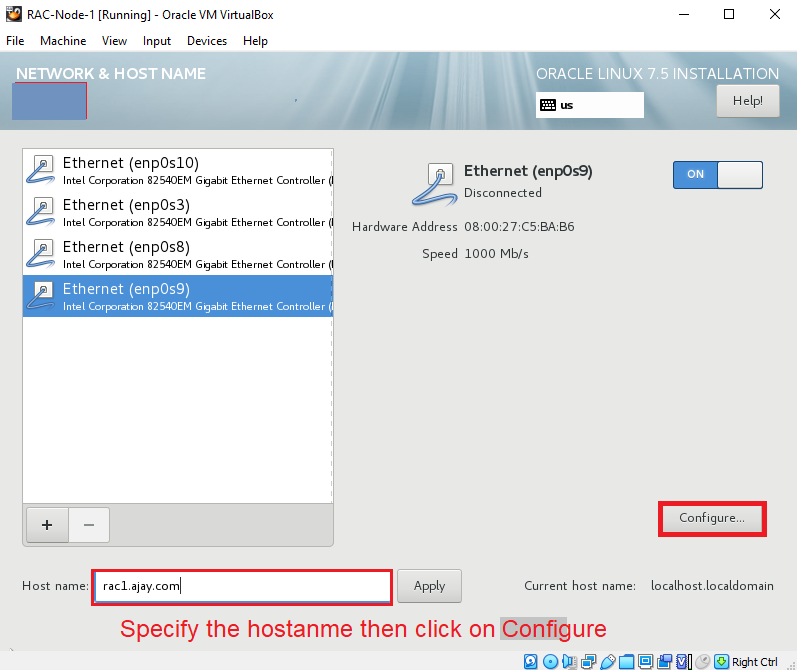
Choose Ethernet(enp0s9) and provide hostname(rac1.ajay.com) click on configure
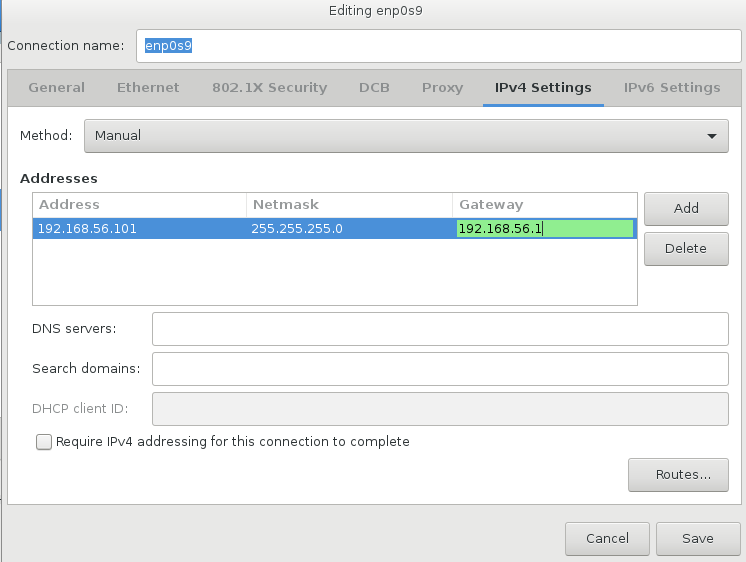
Click on IPV4 Settings and choose Manual and provide IP Address,Netmask and Gateway
Then Click on Save
Click on Begin Installation
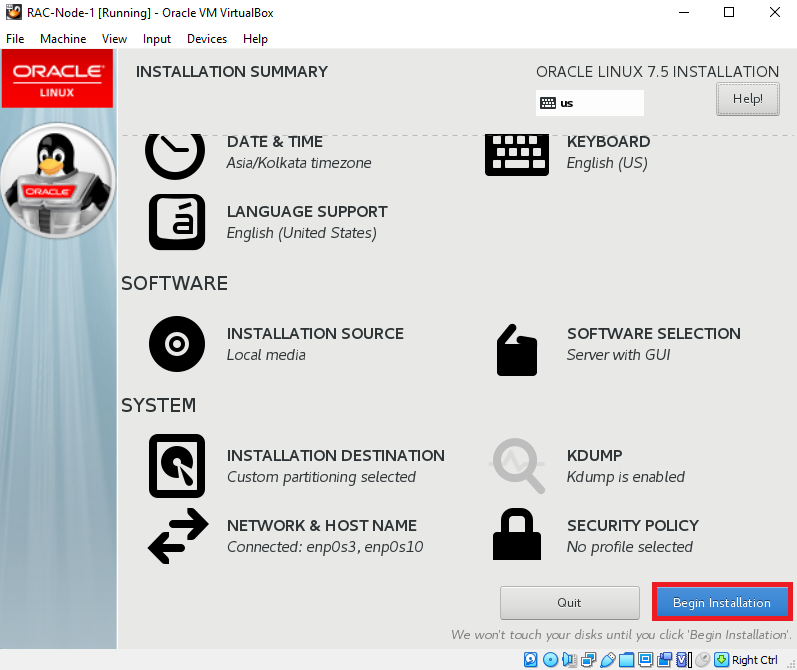
Once Installation start is asks you to create Root password , So Click on ROOT PASSWORD
Set the Root Password and click on DONE
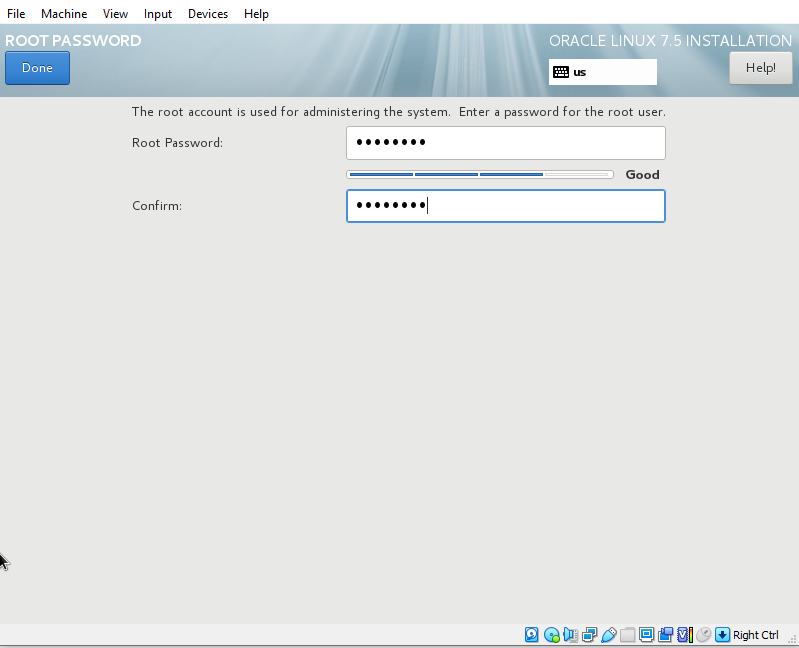
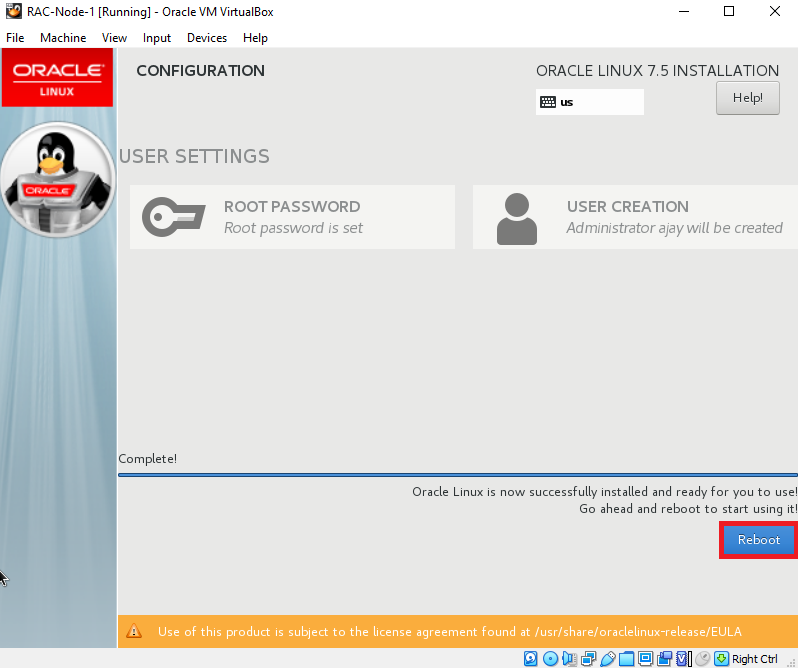
Installation will take around 15 mints. Once its done we need to reboot the virtual machine
Click on Reboot
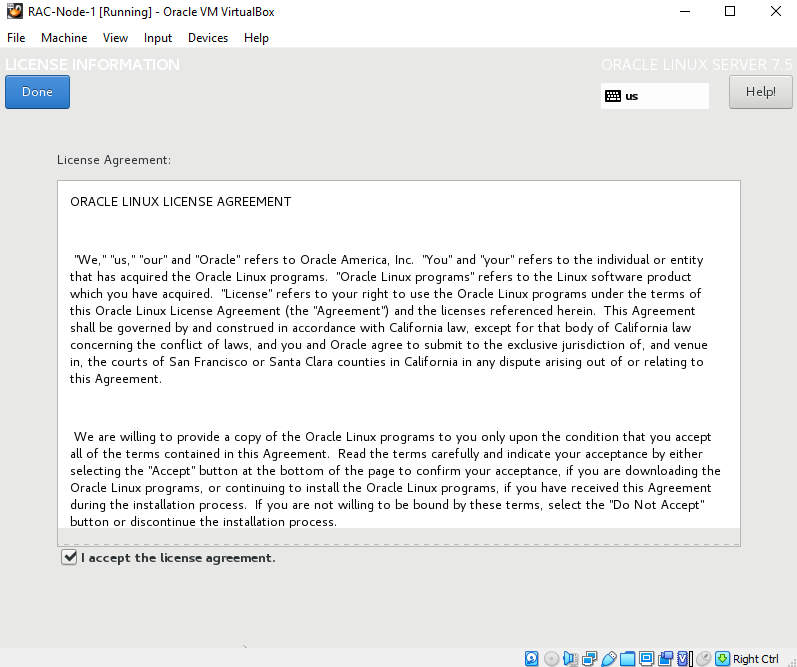
Accept the license agreement and click on Done
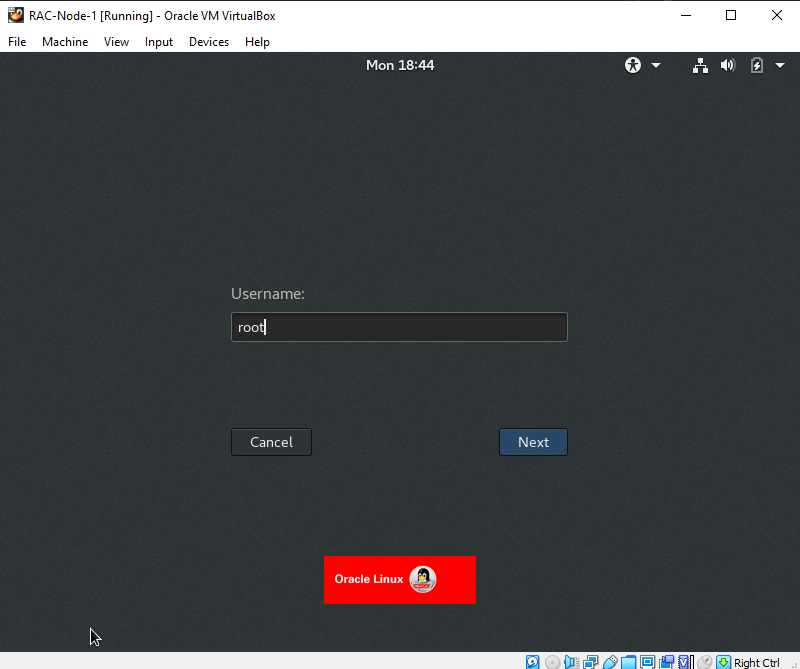
Specify the root as username and click on Next
Specify the password or Root user
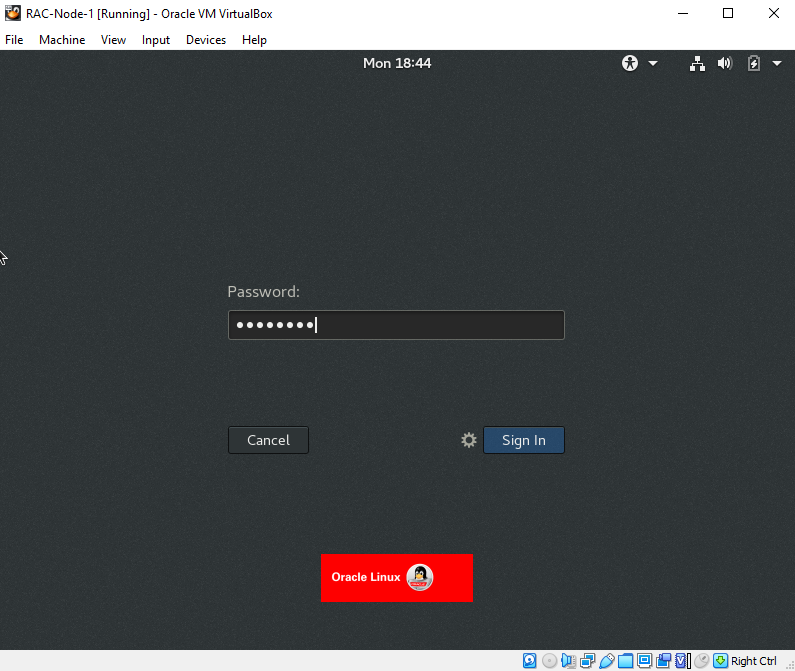
Once login into RAC Node 1 we need to Configure Vmbox tools and N/w configuration and install pre-requisites packages to complete 2-Node RAC Setup.
Please check below article link to continue setup
Node Preparation for 19c RAC Installation (Installing Vmbox tools,Configuring Network,Installing ASMLIBs & Packages)
I
Thank you for giving your valuable time to read the above information. Please click here to subscribe for further updates
KTEXPERTS is always active on below social media platforms.
Facebook : https://www.facebook.com/ktexperts/
LinkedIn : https://www.linkedin.com/company/ktexperts/
Twitter : https://twitter.com/ktexpertsadmin
YouTube : https://www.youtube.com/c/ktexperts

 Loading...