Claude Hooks vs Oracle Triggers — A DBA‑Friendly Explanation with Real Examples
Abstract
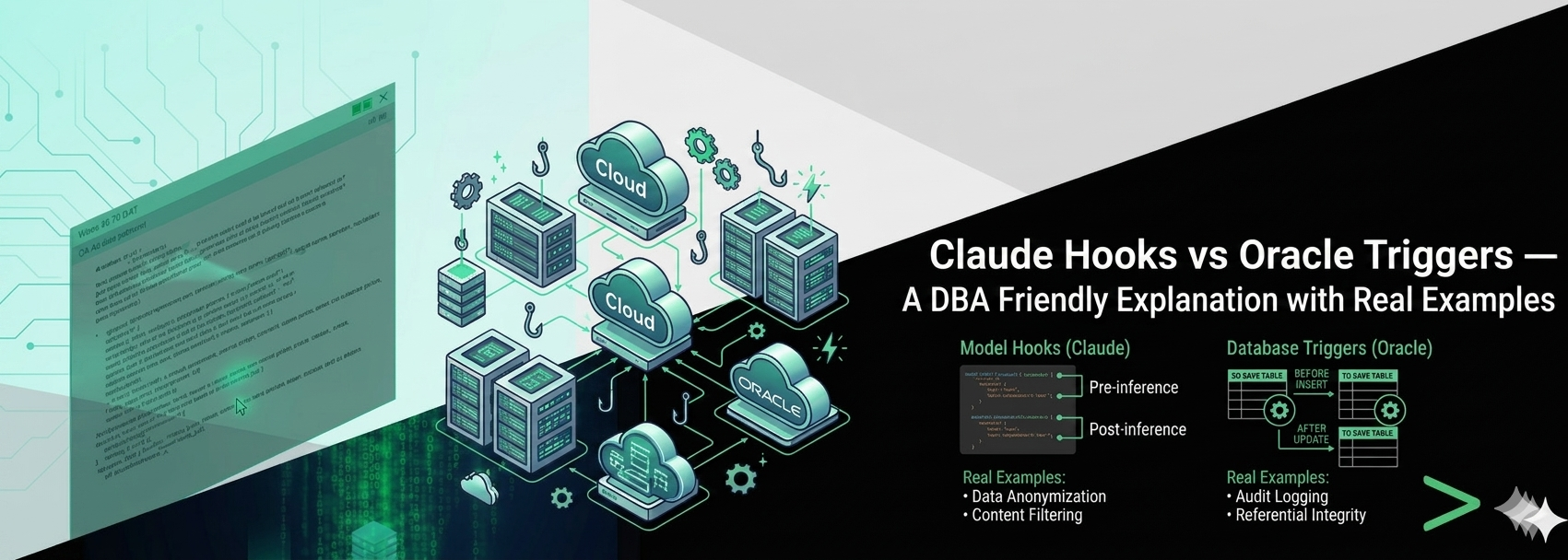
This article explains how Claude Hooks mirror the behavior of Oracle PL/SQL Triggers, making AI automation instantly understandable for DBAs. A side‑by‑side comparison and real examples demonstrate how event‑driven logic applies equally to databases and AI development environments.
Introduction
Oracle DBAs rely on automation, predictability, and event‑driven logic. Triggers in Oracle PL/SQL are a classic example: “When an event occurs, automatically execute logic.”
Claude Code introduces a similar concept called Hooks, which automate AI behavior using the same event‑driven model. This article explains the relationship between the two and provides a visual comparison to help DBAs understand Claude Hooks quickly and intuitively.
What Are Hooks in Claude Code?
A hook in Claude is an automatic rule that executes custom logic when a specific event occurs inside the Claude Code environment.
Hooks = Event‑driven automation for AI workflows.
Hooks can react to events such as:
● File edits
● Shell or SQL tool execution
● File changes on disk
● Session start events
Hooks can perform actions such as:
● Running shell commands
● Blocking unsafe operations
● Formatting SQL files
● Calling HTTP endpoints
● Triggering AI agents
This mirrors the way Oracle triggers respond to DML or DDL events.
Oracle Trigger vs Claude Hook (Side‑by‑Side Visual)
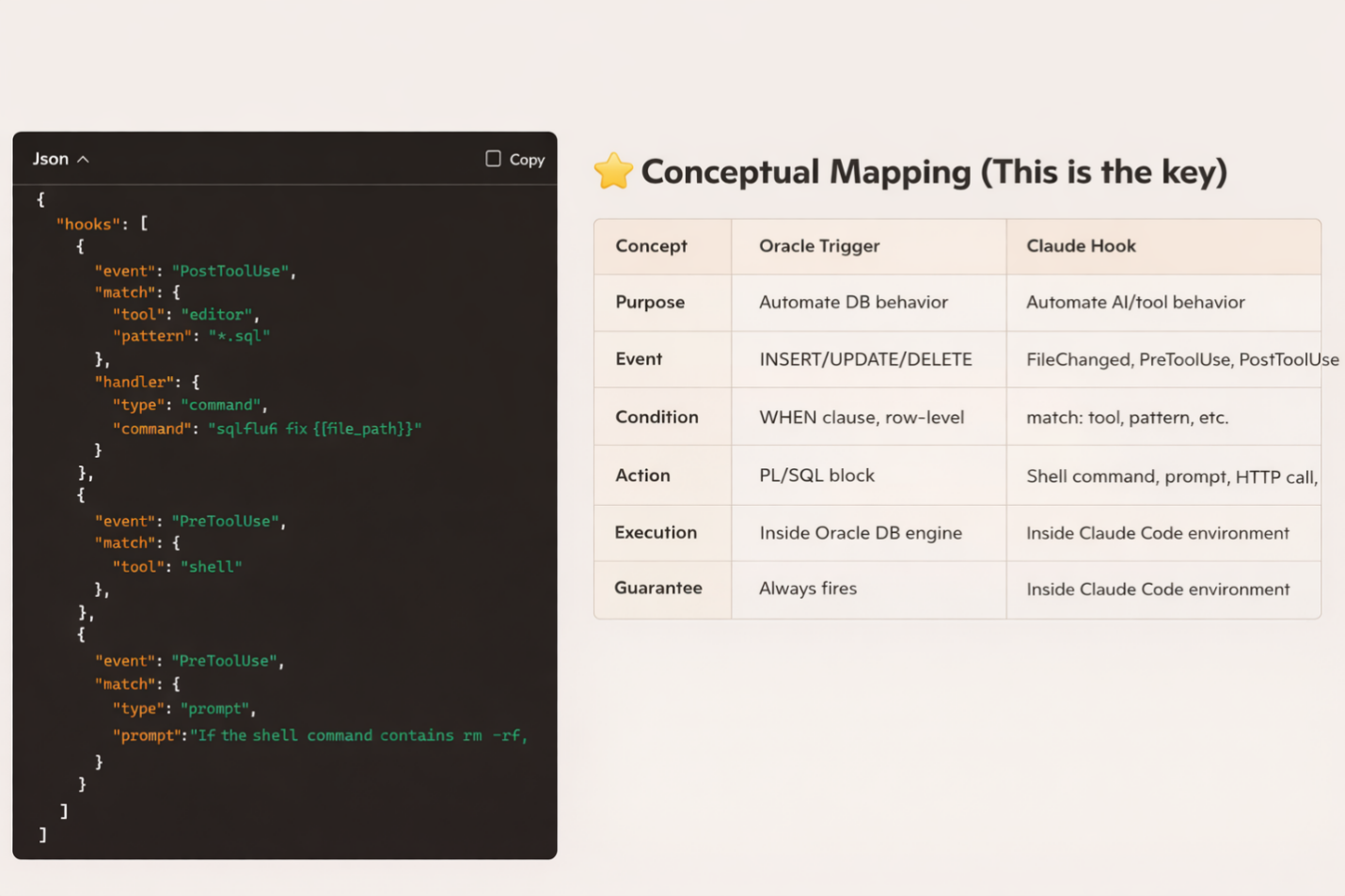
This visual compares:
● Left: A real hooks.json configuration
● Right: A conceptual mapping between Oracle Triggers and Claude Hooks
The comparison highlights how both systems follow the same event → condition → action model.
Why This Matters for DBAs
DBAs already think in terms of:
● Events (INSERT, UPDATE, DELETE)
● Conditions (WHEN clause)
● Actions (PL/SQL block)
Claude Hooks follow the same structure:
● Event → PreToolUse, PostToolUse, FileChanged
● Match → tool = shell, pattern = *.sql
● Handler → command, prompt, agent
● This means DBAs can adopt Claude automation without learning a new conceptual model.
If you understand triggers, you already understand hooks.
Real Example: SQL Auto‑Formatting and Shell Safety
Below is the exact hooks.json used in the comparison:
|
1 2 3 4 5 6 7 8 9 10 11 12 13 14 15 16 17 18 19 20 21 22 23 24 25 |
{ "hooks": [ { "event": "PostToolUse", "match": { "tool": "editor", "pattern": "*.sql" }, "handler": { "type": "command", "command": "sqlfluff fix {{file_path}}" } }, { "event": "PreToolUse", "match": { "tool": "shell" }, "handler": { "type": "prompt", "prompt": "If the shell command contains rm -rf, shutdown immediate, drop database, or touches /u01 or /opt/oracle, block it." } } ] } |
What this automation achieves
● Every time Claude edits a .sql file → it automatically formats it
● Every time Claude attempts a shell command → it checks for dangerous patterns
This provides deterministic, safe automation — exactly what DBAs expect.
Why This Visual Helps
Many DBAs are exploring AI tools, but the terminology can feel unfamiliar.
By showing hooks vs triggers side‑by‑side, the learning curve disappears.
The visual demonstrates:
● Oracle triggers automate database behavior
● Claude hooks automate AI behavior
● Both follow the same event‑driven logic
This helps DBAs adopt AI automation confidently and safely.
Conclusion
Claude Hooks bring event‑driven automation into the AI development environment.
For Oracle DBAs, the concept is instantly familiar because it mirrors the logic of PL/SQL triggers.
If you understand triggers, you can immediately begin building safe, deterministic AI workflows using hooks — without changing the way you think.
This comparison is a powerful way to help DBAs understand how traditional database automation concepts translate into modern AI tooling.
Author Bio
Vinod is an Oracle DBA and automation specialist with deep experience in hybrid environments (OCI + on‑prem). He focuses on deterministic automation, AI‑assisted workflows, and practical DBA tooling.

 Loading...